Chat is where most work starts. You describe an outcome, Kaer plans and does the work, and the result comes back into the same thread so you can inspect it, change it or carry on. Use Chat for writing, research, questions and any job that does not yet need a schedule.
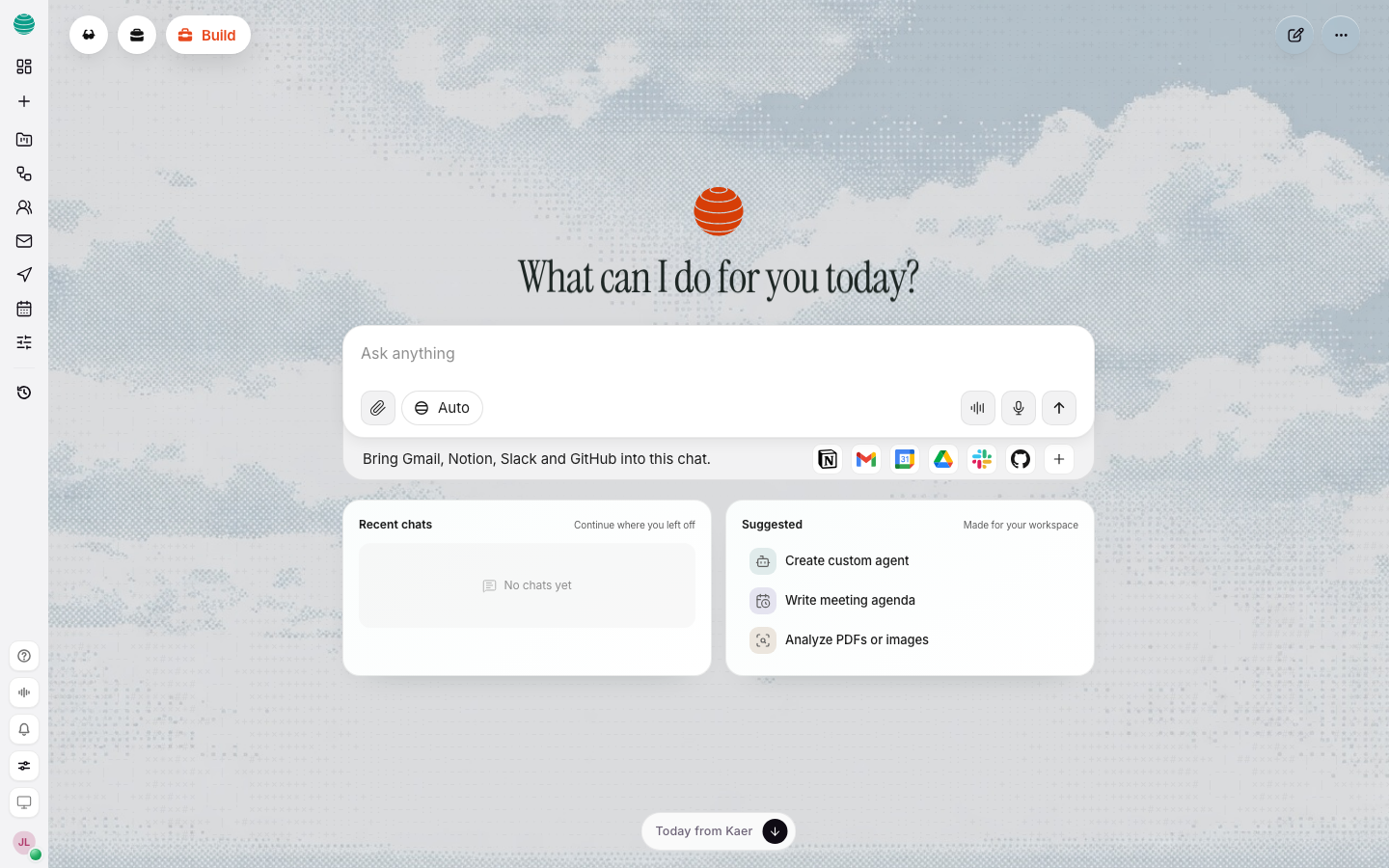
Start a chat
Open a new chat
Choose New chat in the rail. The composer reads Ask anything.
Describe the outcome
Type what you want in plain language. Press Enter to send. Shift+Enter adds a new line without sending.
Add context if it helps
Attach files or mention something Kaer should use. See Add files and context.
Read the result
The reply lands in the thread. Ask for changes in the next message.
You can also dictate instead of typing: choose Dictate in the composer and speak.
Add files and context
Kaer works better with the real material in front of it.
- Attach opens a menu of files, code, past chats and connected apps.
- Type @ in the composer to mention a file, chat or app by name.
- Connect apps lets you choose which connected apps Kaer can use while it works in this chat, such as Gmail, Google Drive, Notion, Slack or GitHub. An app must be connected first. See Connectors.
Steer Kaer while it works
You are not locked out while a reply is running.
- Keep reading the thread as steps appear.
- Send another message. If Kaer is still working, the message is queued and shows Sends when Kaer finishes.
- Stop the work if it is heading the wrong way, then say what to change.
Approve an action
When a step has a consequence, such as sending an email, posting, paying or changing a live system, Kaer pauses and asks. The thread waits until you approve or cancel.
Review and reuse a result
- Ask for a tighter version, a different audience or a specific change.
- Copy the result out, or ask Kaer to draft it as an email in Mail.
- If you will do the same job again, turn it into a workflow.
- Find the thread later in History.
Choose a model
The model picker in the composer is set to Auto by default, which picks a model that fits each request. You can pick a specific model from the same menu. To always use the model you choose, turn on Pin a model for every message in Settings → Routing.
Write better requests
- Name the outcome, the audience and the tone.
- Keep one job per thread until it is done.
- Give limits up front: length, budget, deadline, format.
- If the reply drifts, say "stay on X" rather than starting over.
Common questions
Does Kaer remember earlier chats?
Only if you allow it. Turn Memory on or off in Settings → AI. When it is on, Kaer can remember details from your chats and reuse them later.
Can I turn off the suggested next step?
Yes. Turn off Follow-up suggestions in Settings → AI.
When should I use Computer instead?
When the job has to happen on a machine: working through websites, handling files, or writing and running code. See Computer.
Troubleshooting
The reply ignores my file
Check the file appears in the composer before you send. If it does, say which part to use: "Use the totals on page 3."
Kaer cannot reach my Gmail, Drive or Slack
Connect the account first, then add it to the chat with Connect apps. See Connectors.
Work stopped with a credits message
Your plan's allowance is used up. Work pauses rather than charging you. See Billing and credits.