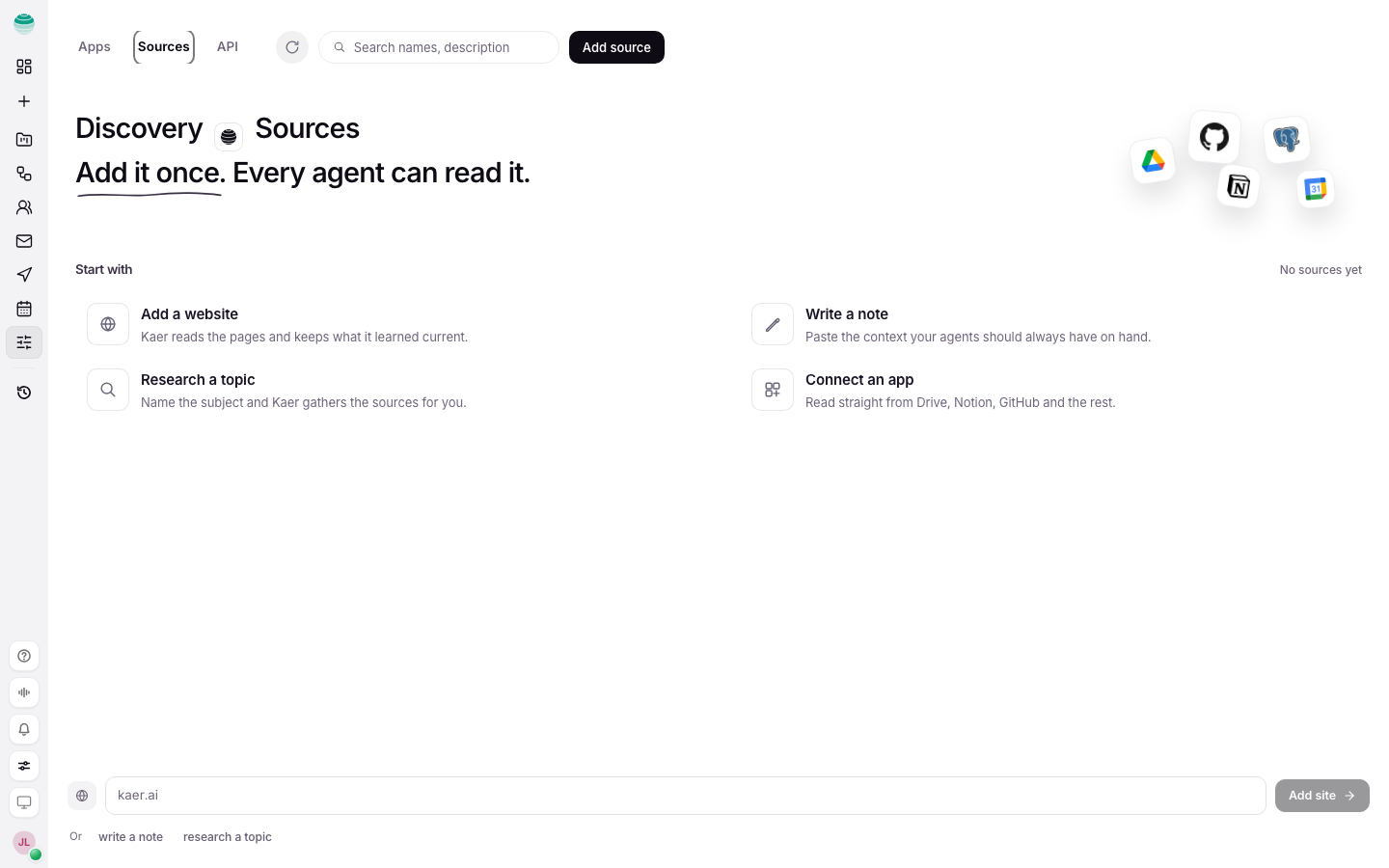
Customise is where you shape what Kaer can reach across your workspace. It has three parts: Apps for connected accounts, Sources for knowledge your agents can cite, and API for the separate developer platform at api.kaer.ai. Anything you set here applies to every agent, not one chat.
Choose the right part
| You want to... | Go to |
|---|---|
| Let Kaer use Gmail, Slack, Notion or another account | Apps. See Connectors |
| Give every agent a website, note or research brief to cite | Sources |
| Call Kaer models from your own code on your plan's credits | Settings → Developers. See Models API |
| Use the separate pay-as-you-go platform at api.kaer.ai | API. See Models API |
| Use Kaer from Claude, ChatGPT or Cursor | Settings → Developers. See Connect assistants |
Add a source
Open Sources
Choose Connectors in the rail, then Sources.
Add the material
Paste a website (for example example.com), write a note, or start a research brief.
Check it is available
The source shows as available to agents once it has been read. Kaer can now cite it in any chat.
Good sources are short and stable: a price list, a product page, a style guide, an FAQ. One-off detail belongs in the Chat thread instead.
Pause or remove a source
Pause a source to keep it saved but leave it out of what agents read. Changes apply across all agents straight away.
Set how Kaer works for you
A few workspace-wide preferences live in Settings rather than Customise:
- Memory and Follow-up suggestions: Settings → AI.
- Pin a model for every message: Settings → Routing.
- Defaults for your account and every new workspace: Settings → Account Defaults.
See Settings.