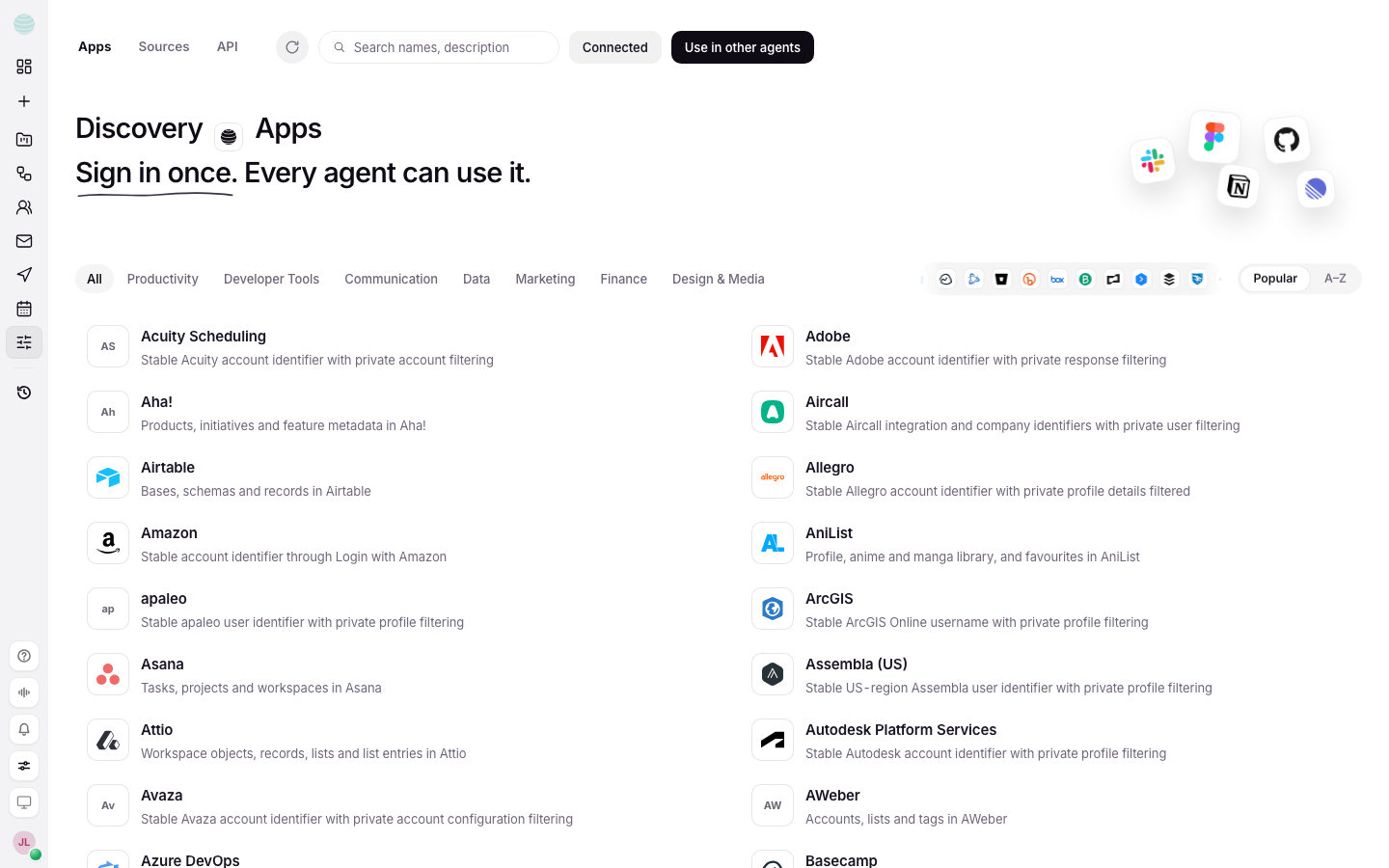
Connectors are the accounts you let Kaer use on your behalf: mail, calendar, files and chat tools. Kaer can only use what you connect, and only in the ways you allow. Connect an app once and every agent in your workspace can use it.
Before you begin
- Sign in to the app you want to connect in the same browser, or have its login ready.
- Allow pop-ups for Kaer. The sign-in window for each app opens as a pop-up.
- Only connect accounts you own, or that your team asked you to connect.
Connect an app
Open Apps
Choose Connectors in the rail. Apps opens first.
Find the app
Use Search apps, or browse by category.
Connect
Choose the app, then Connect. Sign in to the app in the window that opens and approve the access.
Check what it can do
The app shows Connected. Open it to see What it can read and What it can change.
If you skip a permission when you sign in, the features that need it will not work. That is expected; connect again to grant it.
Allow Kaer to send or edit
Some apps connect read-only first and ask before Kaer can change anything:
- Enable Gmail sending lets Kaer send from Gmail. Sent mail still follows your approvals.
- Enable Calendar editing lets Kaer change events in Google Calendar.
- For posting to X, Ask before every post is the default: you approve each post in the chat before it goes out. Choose Post automatically only if you want posts to go without asking.
Use an app in a chat
Connected apps are available to Kaer when a job needs them. To pick exactly which apps a chat may use, choose Connect apps in the chat composer. See Chat.
Add knowledge with Sources
Sources, next to Apps, is where you add websites, notes and research your agents can cite. Use it for material Kaer should draw on in every chat, such as a price list or a style guide.
Disconnect an app
Open the app and choose Disconnect. Disconnecting does not delete mail, files or results that already live in Kaer.
Common questions
How do I connect Gmail?
Open Apps, search for Gmail, choose Connect and sign in with Google. To let Kaer send from it, turn on Enable Gmail sending.
Troubleshooting
The sign-in window does not open
Your browser blocked the pop-up. Allow pop-ups for Kaer, then choose Connect again.
An app shows "Not connected any more"
The connection to that app has ended. Choose Connect to sign in again.
"Kaer can't connect to this app yet"
This app cannot be connected yet. Check back later, or ask Help if you need it.