A workflow turns a job you already trust into one that runs again: by hand, on a schedule, when a message or event arrives, or from your own tools. Use one for the Monday report, the invoice run, the renewal check. Do the job once by hand in Chat first, so you know the steps are right.
Before you begin
- Do the job once by hand, so you know the steps and the result you expect.
- Connect any account a step needs, such as Mail or another connector.
- Drafts and test runs are free. Publishing a workflow so it runs live needs a paid plan or credits. See Billing and credits.
Find your way around
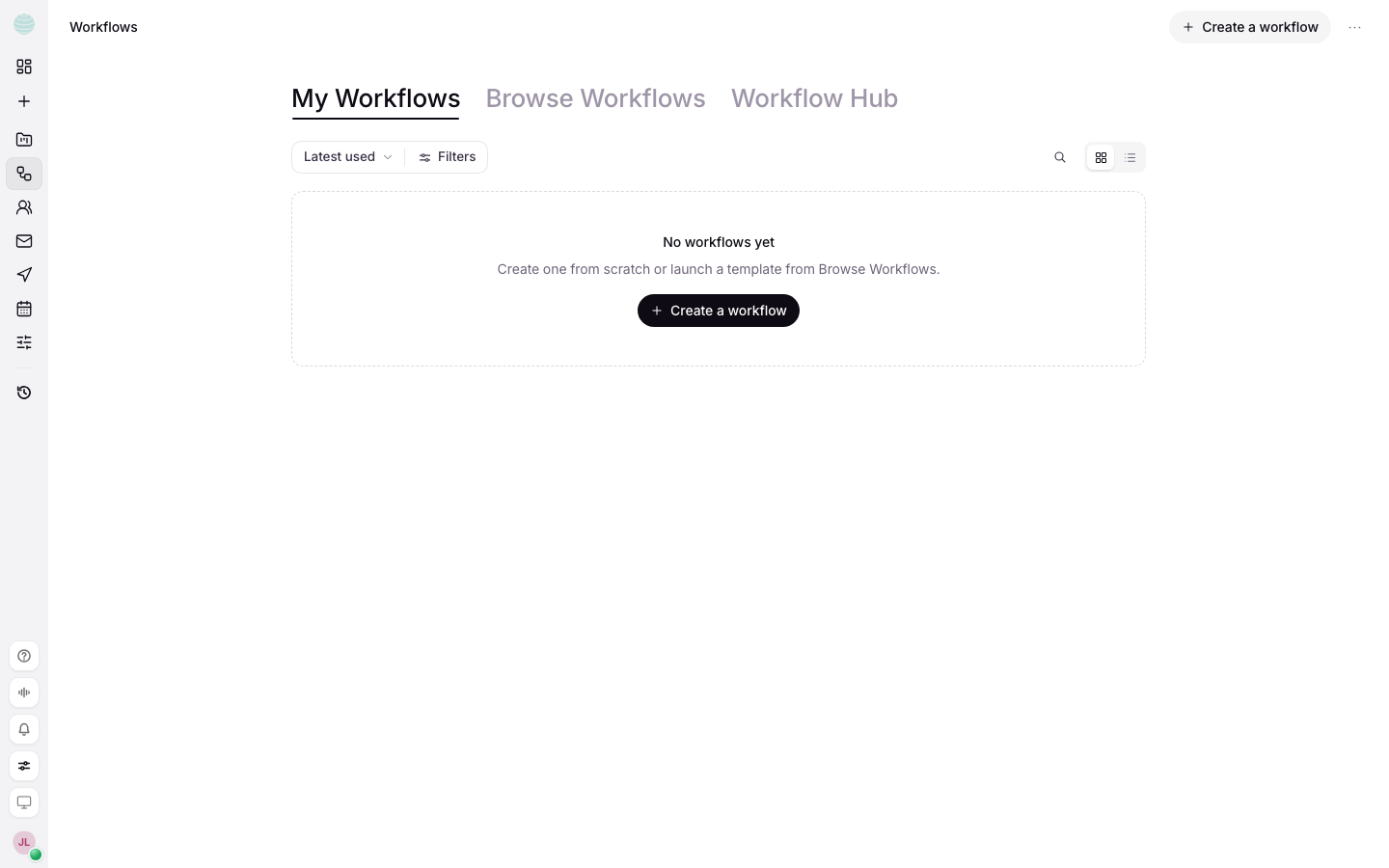
The rail under Workflows has three views:
| View | Use it to |
|---|---|
| My workflows | See your workflows, their status and last run. Filter by status, type or tags |
| Browse workflows | Start from a ready-made workflow. Use Search templates to find one |
| Workflow Hub | Follow runs across all workflows and decide approvals that are waiting |
Create a workflow
Start from a template
Browse
Open Browse workflows and find one close to your job.
Add it
Choose Add this workflow to add it to your list, or Add & run to add it and start a run straight away.
Fill in its inputs
A workflow from Browse workflows asks for its template's own inputs, such as the page to read.
Describe your own
Create it
Choose Create a workflow. Give it a name and a short description, add tags if you use them, then choose Create.
Describe what it should do
In the workflow's chat, describe the process the way you would explain it to a new starter: where the numbers come from, what the output looks like, who receives it. Kaer drafts the steps and says what it did.
Check the steps
Open Editor to see the steps as a canvas. Keep each step small enough to fail on its own.
The workflow page
A workflow opens on its chat. The header switches between three views:
- Chat: tell Kaer what to change. It edits the steps and says what it did.
- Runs: every run, newest first. Open one to see each step and what it produced.
- Settings: the profile, how Kaer runs it, who decides approvals, and how to use it outside Kaer.
Editor opens the steps as a canvas. When something needs fixing, a red N to fix in the header opens the editor at that step.
Settings holds the rest: name, description, tags, the mark on its card, who can see it, instructions, guardrails, tone, knowledge and the tools Kaer may use.
Test a workflow
Test run runs the draft from start to finish with every outside step stubbed: nothing is sent, written or charged. Each step shows what it would have produced. Test until every step shows the result you expect.
Run a workflow
- Run now starts it by hand.
- Run with input… starts it from something you paste: an enquiry, a lead, an email.
- A run in progress shows each step as it finishes. Stop ends it; steps that already finished keep their results.
- Re-run a failed run, or Run again any finished one, with the same input it started from. Edit input… changes the input first. A re-run starts from the top: if the run already sent or made something, Kaer says so before it does it again.
- A failed step has Ask Kaer to fix: it puts a request with the step's own error in the chat, for you to read and send.
Add an approval step
An Approval step pauses the run and asks before anything goes further. Put one before any step that sends, pays, deletes, publishes or changes something that matters.
Decide an approval
Approve or reject from the run, the Workflow Hub or the notification bell. If nobody decides in time, the step's own timeout decides.
Choose who decides
Who decides is a setting on each workflow, under Settings → Approvals:
- Only you (the default): every approval waits for you.
- You or your assistants: assistants you connected with the Workflows permission can approve or reject.
Kaer checks every approval an assistant makes. Anything that could send, pay, delete, share or change something that matters waits for you, with the reason, and the assistant cannot ask again. Rejections are never held; they only stop the run. Each run shows who decided: you, your assistant, or the clock.
Publish a workflow
Test it
Finish with a clean Test run.
Publish
Choose Publish. The workflow goes on its trigger and shows as Live.
Watch the first live runs
Open Runs after the first few live runs and check each step.
A workflow can start on a schedule ("every Monday at eight"), when a message arrives, when something changes (a payment received, a form submitted), or by hand. To change a live workflow's trigger, pause it and publish again.
Hosting a live workflow needs a paid plan or credits. Drafts, tests and editing stay free.
Use it elsewhere
Settings → Use it elsewhere is how a workflow is reached from outside Kaer.
AI assistants. Claude, ChatGPT, Claude Code, Cursor and other MCP clients can list your workflows, run them and follow each run once connected. They can stop a run they started, and see what is waiting for you. See Connect assistants.
Your code. Tick Give it a trigger endpoint when you publish, and anything that can POST can start the workflow. The link is a secret, and every call also needs an API key from your account with the Workflows permission. The link alone is not enough.
curl -X POST 'https://app.kaer.ai/api/webhooks/workflow/YOUR_LINK_KEY' \
-H 'Authorization: Bearer kaer_sk_YOUR_KEY' \
-H 'Content-Type: application/json' \
-d '{"customer": "Ada"}'
The JSON you send becomes the run's input, so steps can use it as {{ input.customer }}.
Edit with an agent. Create a key that works on this one workflow and paste the setup into Claude Code, Cursor or Codex, or hand the brief to any agent. See Edit a workflow with an agent.
Common questions
What is the difference between a workflow and an AI assistant?
A workflow is a fixed set of steps that runs the same way each time. An AI assistant is a role that decides how to do a job, and can run workflows as part of it.
Does a test run send anything?
No. Every outside step is stubbed, so nothing is sent, written or charged.
Can I duplicate or delete a workflow?
Yes. From My workflows, open the workflow's menu and choose Duplicate or Delete. Deleting stops it running and removes it from your list.
Troubleshooting
A run failed
- Open the run from Runs and find the red step.
- Read the step's error.
- Choose Ask Kaer to fix, read the request it drafts, and send it.
- Run a Test run, then Re-run the failed run.
A run is stuck on "Waiting"
It is waiting for an approval. Open the Workflow Hub or the bell and approve or reject it.
The header shows "N to fix"
Choose it. The editor opens at the step that needs attention.