AI assistants are named specialists you set up once and reuse: a researcher, a reviewer, a support drafter. Each has its own role, instructions, skills and the tools it may use. Create one when the same kind of job keeps coming back. For a one-off job, Chat is enough.
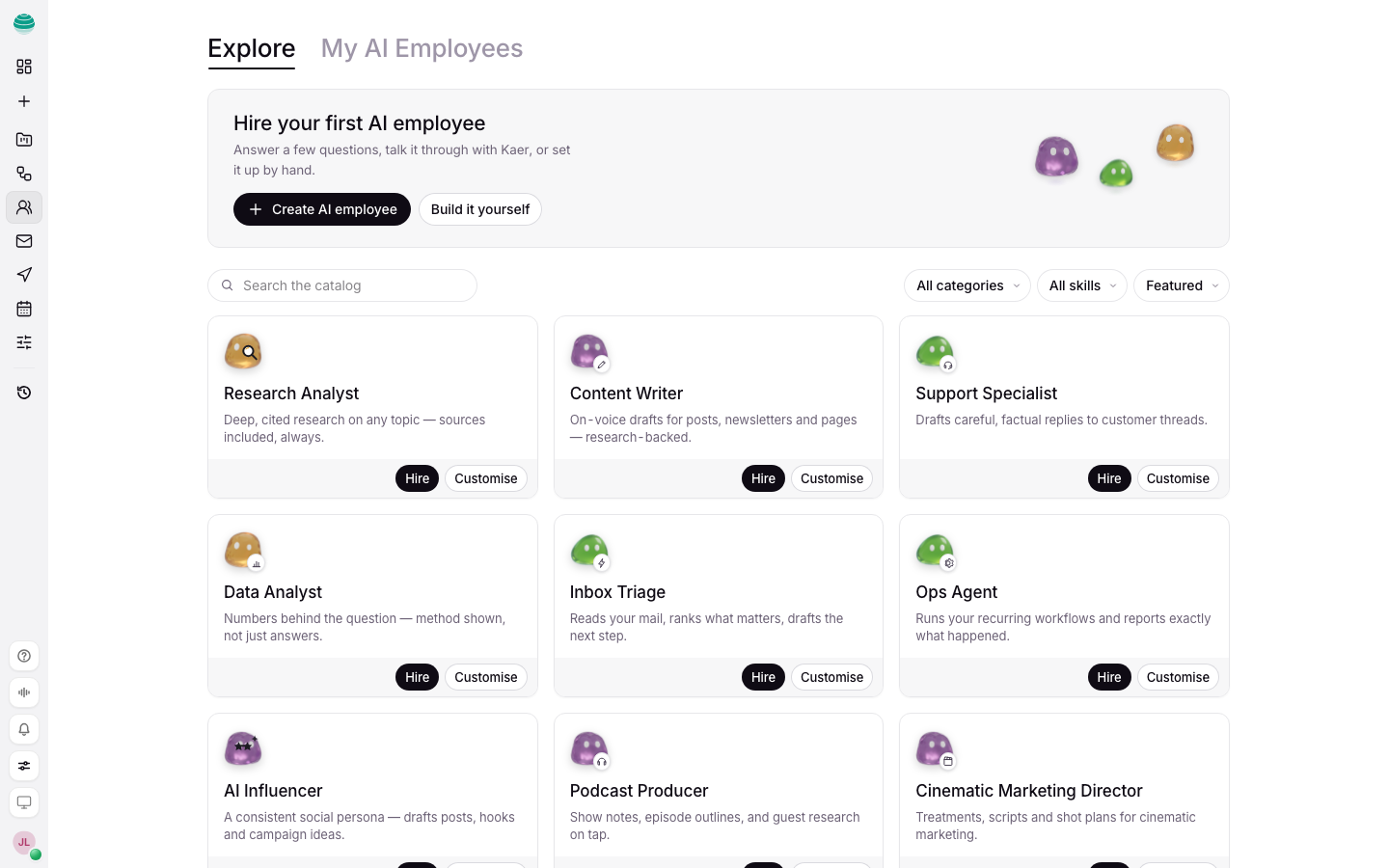
Create an assistant
You can describe the role and let Kaer draft it, or build it yourself.
Open Assistants
Choose Assistants in the rail. If you have none yet, you see Hire your first AI assistant.
Start a new assistant
Choose Create an AI assistant. To start from a ready-made role, use Search templates instead.
Describe the role
Choose Describe the role and Kaer drafts it, then write what it should do the way you would brief a person: "Reads every new supplier invoice, checks it against the purchase order, and flags mismatches to me." Choose Draft with Kaer. To set every field yourself, choose Build it yourself.
Answer a few short questions
Kaer may ask a few questions to fill gaps in the role. Answer them on the card.
Set what it may do
Give it a name a teammate would understand. Choose the work it may do, then add optional skills. Choose its workspace and the connected resources it can use.
Create it
Choose Create assistant.
Give an assistant work
- Open the assistant and ask it directly, or start from its own page.
- When a request is unclear, the assistant asks clarifying questions on a card, in one round, before it starts. Answer them and choose Send answer.
- Follow-ups keep the same assistant on the job.
- Results land in a thread you can read, like any chat.
When a job needs an API key, the assistant asks for it on a secure card. The key goes to your vault, never into the chat.
Shape how it works
Open the assistant to change:
- Skills: briefs it draws on when a job calls for them.
- Workflows: workflows that give it steps to run.
- Schedules: when it runs on its own.
- Its instructions and role. Every change is kept in Edit history, so you can see earlier versions.
The assistant also keeps what it has learned from its work, which you can review on its page.
Pause or remove an assistant
- Pause stops it. Schedules and embeds do not run until you choose Resume.
- Remove from team removes it from your workspace.
Common questions
How is an assistant different from a workflow?
An assistant is a role that decides how to do a job. A workflow is a fixed set of steps that runs the same way each time. An assistant can run workflows as part of its work.
Can an assistant send email?
It can draft. Email to anyone but you waits as a draft for your approval. You can give an assistant access to a mailbox in Settings → Mail. See Mail.
Can I use my assistants from Claude or ChatGPT?
Yes, with the AI assistants permission on a connection or key. See Connect assistants.